Several agents. One window.
A native macOS workspace for Claude Code sessions. Projects in a sidebar, sessions as tabs, panes split into a tree — and every pane reports what its agent is doing, so running five at once stops being bookkeeping.
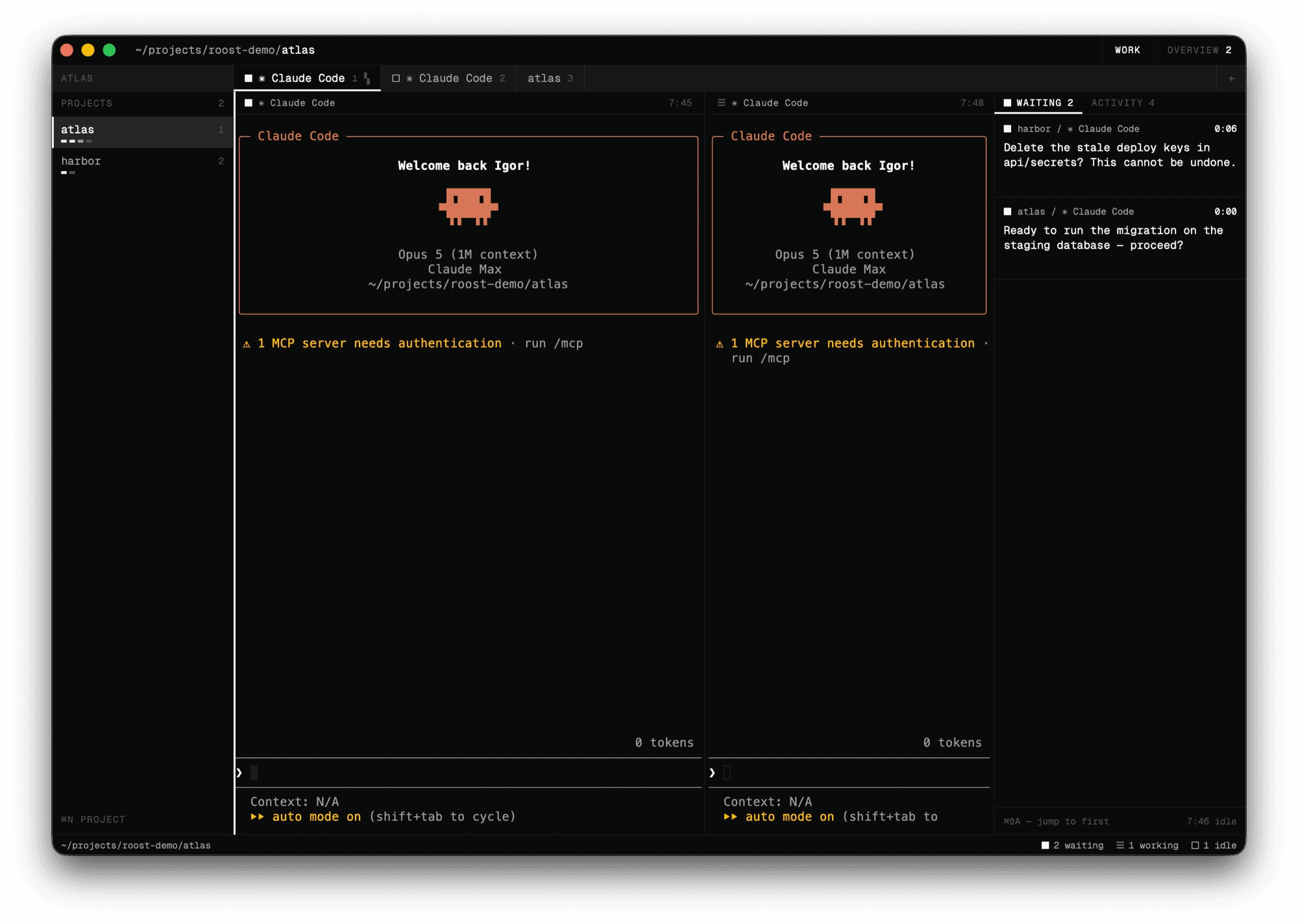
Stuck on a question. Nothing moves without you — the only square filled solid, in the app as here.
Thinking or running tools. The only element of the interface allowed to move.
The output is written but nobody has read it. Fades to rest the moment you open the tab.
Alive and waiting for its next task. Nothing owed in either direction.
Claude Code does not publish what it is doing, so Roost listens to its hooks and turns them into a square next to every pane, tab and project.
The layout survives a restart, and a claude pane comes back to its own conversation rather than a blank slate. Roost names each session itself, so it knows what to resume from the first second — not from the first hook.
Every waiting agent in one list, longest wait first, with the question it is stuck on. Answer it, or mark it handled when you already dealt with it yourself.
Every conversation this project ever had, by name and by age, including the ones that ran in a branch. Paste a session id from another machine and it opens too.
A pane can run its agent in a git worktree created by Claude Code itself, so a risky refactor never touches the tree you are working in.
⌘K searches panes, projects, actions and past sessions at once, urgent ones first — because that is who you were looking for.
With the window behind something else, an agent that gets stuck becomes a notification and a count on the dock icon. The queue does not have to be watched to be answered.
| ⌘T · ⌘⇧T | new claude session · new shell |
| ⌘N · ⌘⇧N | new project · claude in a worktree |
| ⌘O | open a past session |
| ⌘K | command palette |
| ⌘D · ⌘⇧D | split right · down with claude |
| ⌘E · ⌘⇧E | split right · down with a shell |
| ⌘W | close the pane |
| ⌘⇧← → ↑ ↓ | move between panes |
| ⌘1…9 · ⌘⌥← → | switch session |
| ⌘⌥1…9 · ⌘⌥↑ ↓ | switch project |
| ⌘B · ⌘⇧B | fold the project list · the side panel |
| ⌘⇧A | jump to an agent that is waiting |
Anything beyond a bare ⌘ the system takes for itself before the app ever sees it. Hold ⌘ for a second inside Roost to get the full list — it is generated from the menu, so it cannot drift out of date.
brew tap ikatsuba/tap
brew trust ikatsuba/tap
brew install --cask roost
The middle line is not optional: Homebrew 6 refuses to load anything from a tap outside its own repositories until you say you meant that one.
By hand it is a universal zip on the releases page — unpack it, move Roost.app to /Applications. Either way it just opens: the builds carry a Developer ID signature and a stapled notarisation ticket, so Gatekeeper is satisfied without asking Apple and without being told anything by hand. You need macOS 14 or newer and Claude Code on your PATH.
git clone https://github.com/IKatsuba/roost.git
cd roost
tool/bundle.sh          # -> build/Roost.app, ad-hoc signed
open build/Roost.app
Open the app, not the binary. Started from a terminal it inherits your PATH and hides the trap: under launchd the app gets a bare /usr/bin:/bin, where there is no claude. This signature is ad-hoc, which is enough for the machine that built it and refused as damaged on any other — that is what the releases above are signed properly for.
~/Library/Application Support/dev.katsuba.roost/
The workspace snapshot and the hook files it generates for Claude Code.
~/.claude/projects/
Claude Code's own transcripts, to list and name past sessions. Read-only, and never sent anywhere.
127.0.0.1:<os-assigned>
For the hook script that reports agent status. Loopback connections only; anything else is dropped.