One terminal for every coding agent.
Claude Code, Codex, Gemini CLI, Cursor, OpenCode and 30+ more, in one keyboard-driven window — side by side, or working as a team. chord talks to them over the Agent Client Protocol, so every agent gets the same transcript, diffs and permission prompts.
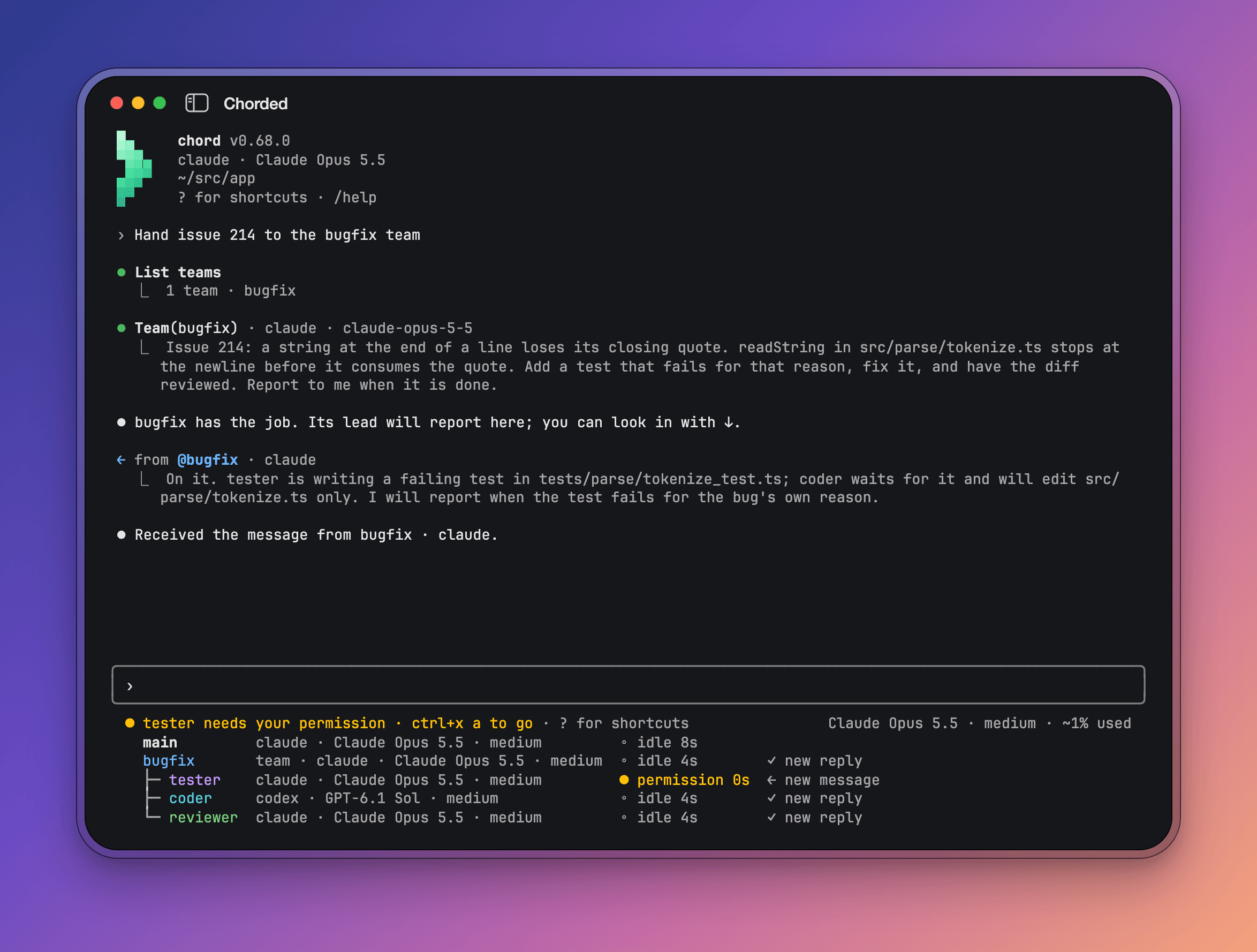
Claude Code, Codex, Gemini CLI and the rest of the ACP Registry, plus riff — chord's own agent on a ChatGPT or Grok plan. The same transcript, diffs, permission prompts, slash commands and @ mentions for all of them. Switch agents without relearning keys.
Open a second agent beside the one you talk to, or hand a job to a saved team — Codex writes the fix, Claude reviews it, each with its own model and role. Messages go between them; permissions still come to you.
Every permission an agent asks for is a choice under the transcript, answered with a number. Proposed diffs scroll above the choices, and between turns it leaves your typing alone.
Edits arrive as whole, numbered, highlighted diffs. Subagents fold into one tree you can open, and background work sits in a summary under the agents list.
Nothing on screen needs a mouse. ? lists every binding, and a keybindings file moves them.
One binary, no account, no daemon. chord starts the agent, records the session, and gives it back with --continue. It also scripts: -p prints one reply to stdout.
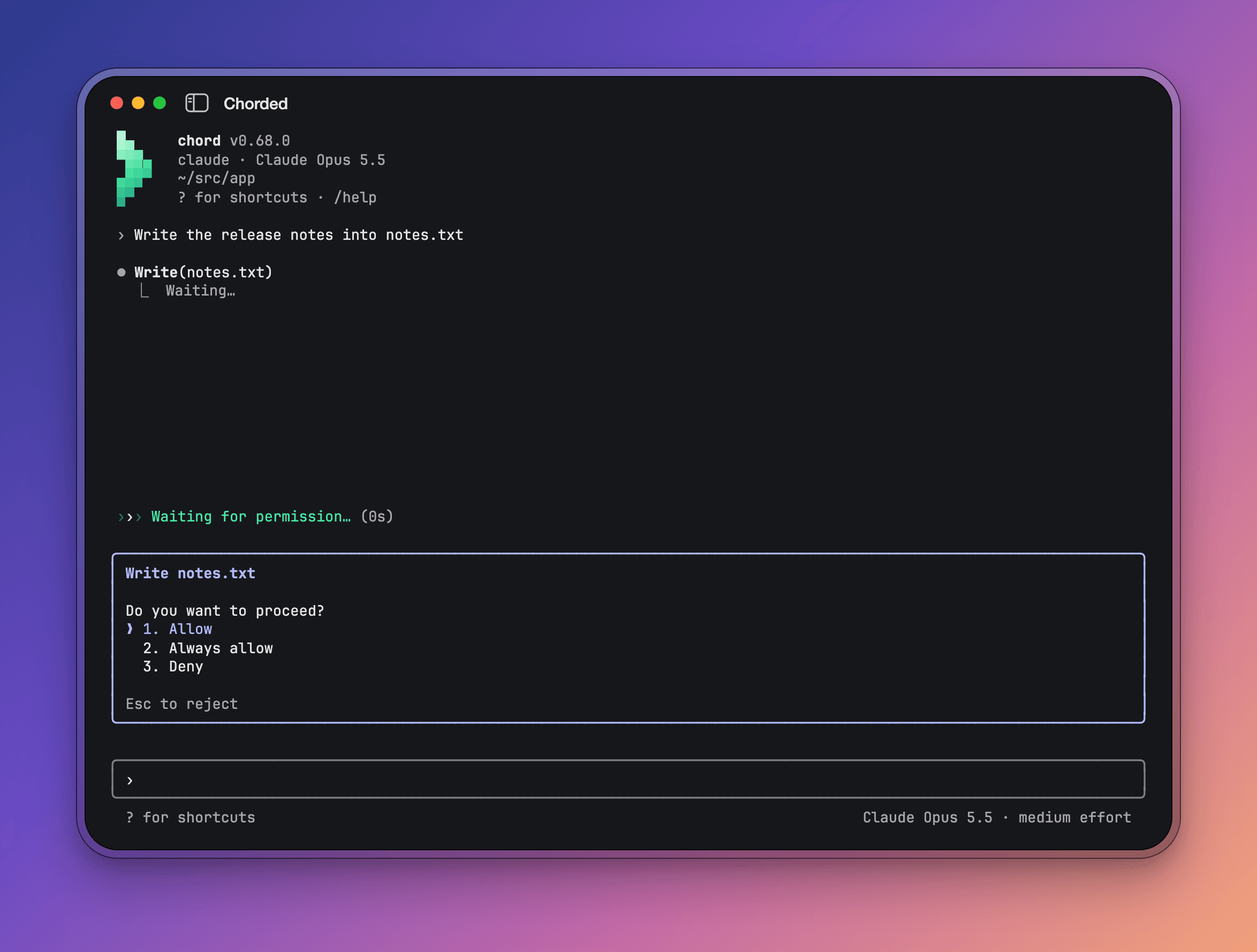
| ? | every key, on an empty prompt |
| / | slash commands, chord's and the agent's |
| @ · @@ | mention a file · an agent |
| ! | run a shell command, its output for the agent |
| tab | send the oldest queued message into the running turn |
| shift+tab | cycle the permission mode |
| ctrl+o | expand Read output and subagents |
| ctrl+x a | go to what waits on you |
| esc | interrupt the turn |
npm install -g @chorded/chord
chord            # choose an agent, here
chord codex      # or start one directly
The package carries a prebuilt binary for macOS and Linux, and chord upgrade updates it through whichever package manager installed it. Sign in to Claude Code, Codex or Gemini the way you normally would — chord starts their own CLIs. For riff, sign in to a ChatGPT or Grok plan inside chord; credentials stay in the system store.
chord --continue                      # the latest session here, again
chord --resume                        # pick an earlier one
chord agents                          # what is installed and runnable
chord -p "Explain src/main.tsx"       # one reply on stdout
git diff | chord -p "Review this" --output-format json
Every flag, setting and key, the team file format and chord's own MCP tools for agents are in the guide.